 HKC Plugins
HKC Publishing Report
How much did you publish, and how much was it commented — over the whole life of the blog, and month by month for any year. Rendered entirely in PHP: no JavaScript, no external resource.
Overview
- Two charts: posts per year, comments per year — inline SVG, drawn on the fly.
- A table of every year: posts, comments, year-on-year change, and comments per post.
- The number of posts of a year links to the year archive on your site; the year itself opens the Detail tab.
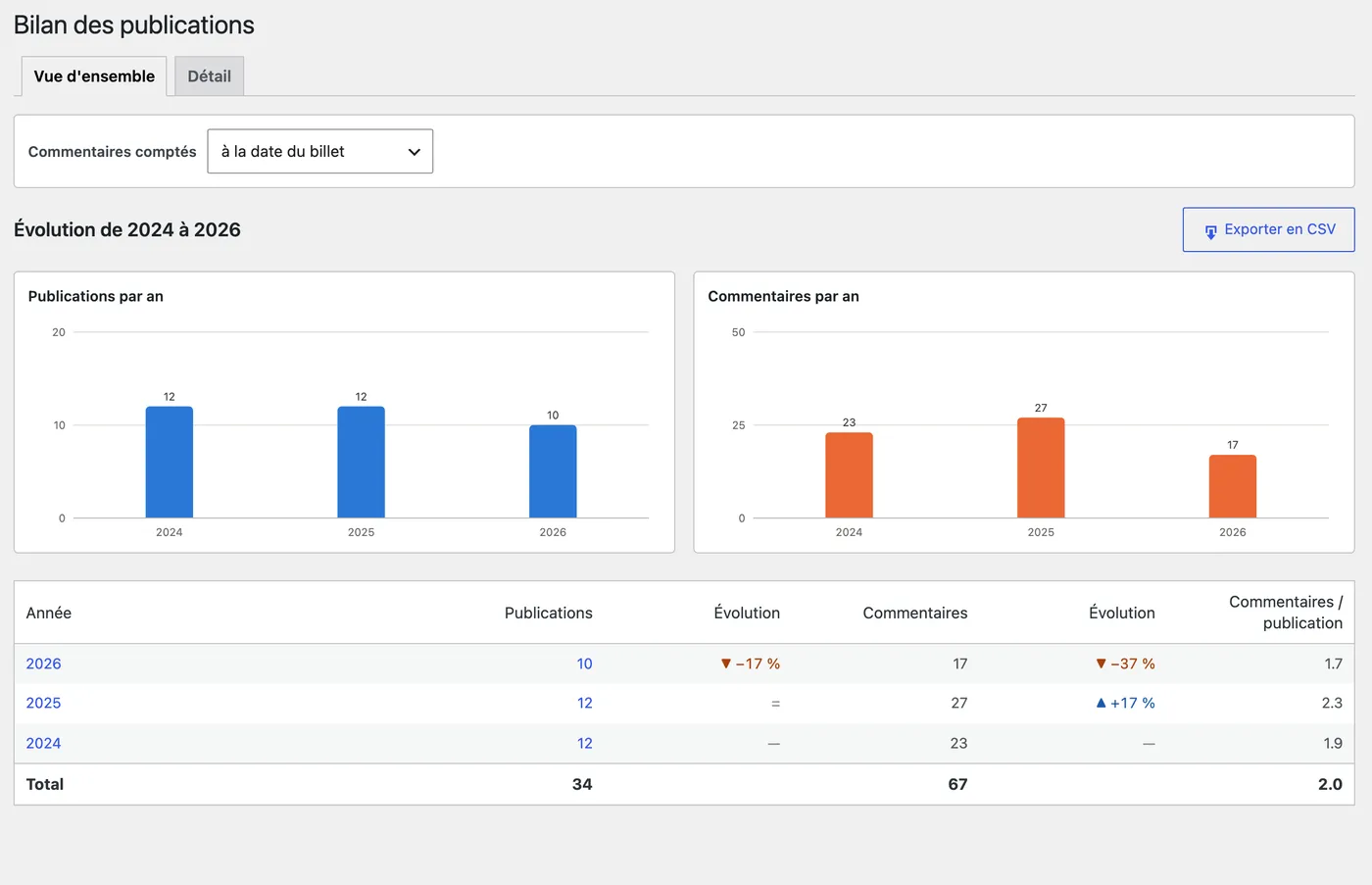
Detail of one year
- One table for the twelve months: posts and comments, each followed by its changes.
- Every month is compared with the same month of the previous and of the following year, in percent.
- Post counts link to the matching month archive. Months outside the period — still to come, or before the first post — stay empty rather than showing a misleading zero.
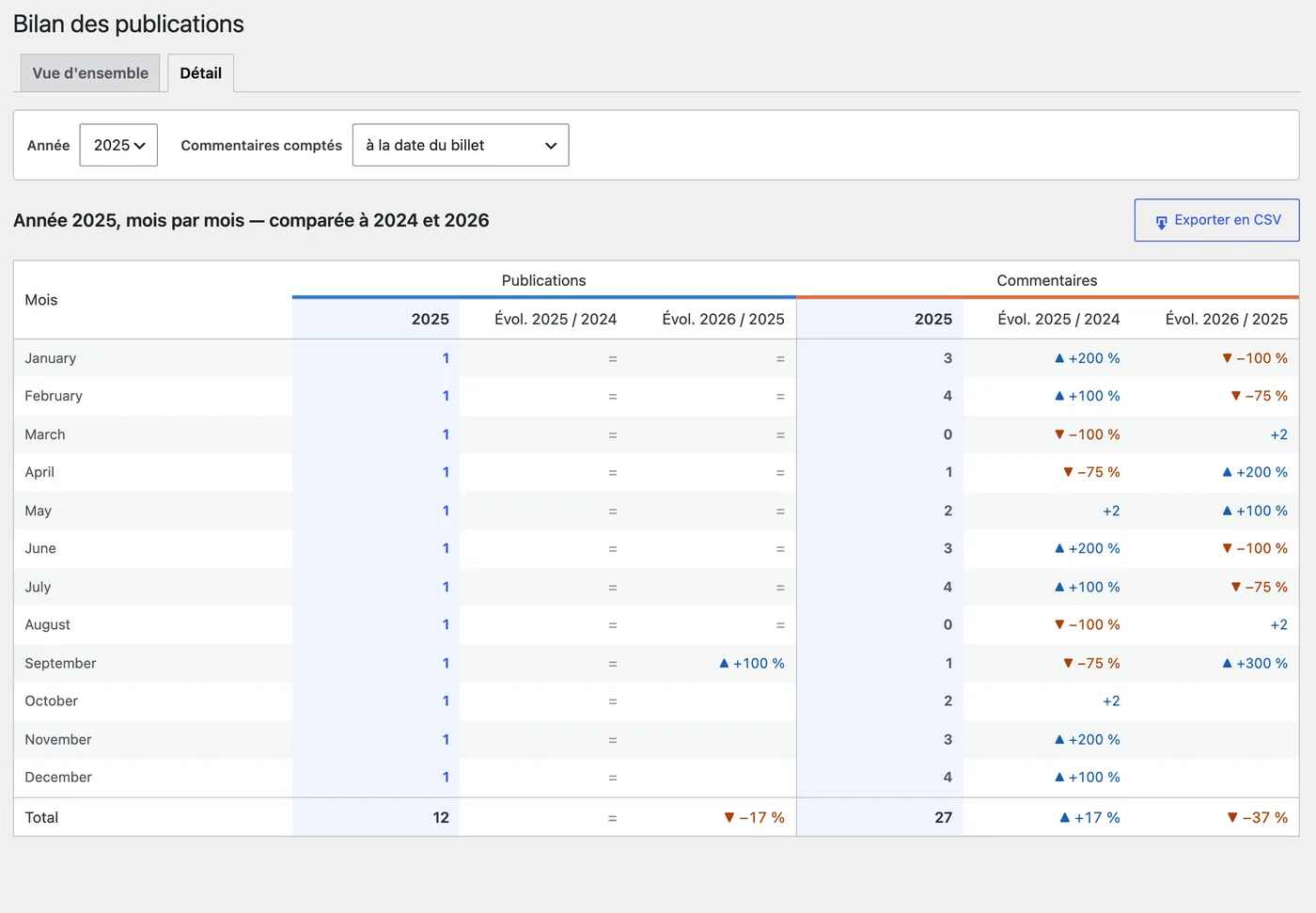
Screenshots taken on a demo site, with content produced for the demonstration.
Counting comments
Two readings, switchable in both tabs: by post date (comments attached to the posts published in that period) or by comment date (comments left in that period, whatever the post). Only published posts and approved comments are counted, pingbacks and trackbacks excluded.
CSV export
Each tab has an Export CSV button: UTF-8 with BOM, semicolon separated, opens directly in Excel.
Requirements and installation
- WordPress 5.6 or later, PHP 7.2 or later.
- The page requires the
edit_postscapability. - French admin interface.
- Upload
hkc-publishing-report.zipfrom Plugins › Add New › Upload Plugin. - Activate it, then open the Bilan menu.
Other post types can be reported through the bilan_publications_post_types filter.